Sunday, January 31, 2010

Views with Hidden Lines Removed

There are 3 options that do not display lines that would be considered hidden
3D Hidden
Appears as a wireframe silhouette 轮廓 of a 3D model

Conceptual
Apply color to faces of models and hide hidden lines
Uses a transition between colors

Realistic
Displays 3D models in the colors assigned
Displays materials if they are attached


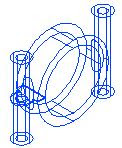
Wireframe View


2D Wireframe 3D Wireframe

3D Wireframe visual style offers properties and settings that are not available in the 2D Wireframe visual style

Type of Views

Produce different types of views depending on the intended audience

Top-left: Conceptual Top-right: Realistic
Lower-left: Wireframe Lower-right: 3D Hidden

Using visual styles to generate views based on geometry view types: Wireframe, Hidden, or Shaded

Thursday, January 28, 2010

Creating Drawings from 3D Models

Visualization, interference checking, and mass property information are a few of the benefits of creating designs with 3D models

As design in 3D, still need to create 2D documents of models
Using layouts can create all the views necessary to document the models

Generating 2D/3D Sections

Home tab > Section panel > Create Block


Generate 2D or 3D sections and elevations of model

2D section has been updated to reflect the new section plane shape and settings

Section Planes States

Section Plane

The section plane extends infinitely

Section Boundary

The section plane object contains side planes and a back plane extending infinitely, and can section a model from all four sides

Section Volume

The section plane contains side planes, a back plane, and top and bottom planes
The model can be sectioned on six sides

Section Plane Options


  1. Standard grips for editing the endpoint location of the section plane
  2. Click to display shortcut menu
  3. Midpoint grip for changing the location of the section plane
  4. Flip the view direction of the section plane