Posts
Posts


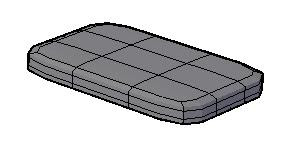
This is required to refine a mesh
2. Mesh Modeling tab > Subobject panel > Face

Mesh Modeling tab > Subobject panel > No Gizmo
3. On the box, CTRL + click to select a mesh face

4. Mesh Modeling tab > Mesh panel > Refine Mesh

5. The selected mesh face is divided into four smaller mesh faces

6. These are new mesh faces and behave like normal mesh faces

They can be edited normally